Last updated: October 26, 2026
Yes, you can switch NetSuite partners without touching your license, and your data, customizations and integrations stay in your account. What changes is who works in the account. A safe switch comes down to three things: a planned overlap with your current partner, a full inventory of the account, and a security offboarding step that revokes tokens, not only roles.
Can you change NetSuite partners mid-contract?
In most cases, yes. Your NetSuite subscription and your services agreement with a partner are two separate contracts. If you license NetSuite directly from Oracle, changing your support partner does not change that subscription. If a Solution Provider sold you the licenses, that firm may handle your renewals, and you can decide separately whether to move licensing later.
The services agreement is where the details live. Before you give notice, read it for three things: the notice period, any transition assistance clause, and who owns the code that was written for you. Scripts run in your account, but your agreement decides who holds the rights to the source files.
What is the difference between a partner of record and a support partner?
The partner of record is tied to how your licenses were bought: renewals, new users, added modules. Your support partner is the team that actually works in your account. They can be the same firm or two different firms. You don’t need to change your partner of record to start working with a new partner.
Oracle does not publish a public procedure for changing partner of record. If you want to move it, raise it with your Oracle account representative, ideally well before your renewal date, and ask them to confirm how it works for your contract.
What changes and what stays the same when you switch?
| Item | What happens | What to check |
|---|---|---|
| NetSuite account and data | Stays exactly where it is | Nothing moves |
| License subscription | Stays the same | If a reseller sold it, who handles your renewal |
| Scripts, workflows, custom records | Stay in your account | Code ownership and documentation rights in your contract |
| Integrations | Keep running | Move them to company-owned credentials |
| SuiteApps and middleware | Keep running | Which subscriptions were bought through the outgoing partner |
| Partner users, roles and tokens | Removed | Revoke tokens separately (see below) |
| Who you call for support | Changes | Overlap period and handover of open tickets |
What does a 6-step transition plan look like?
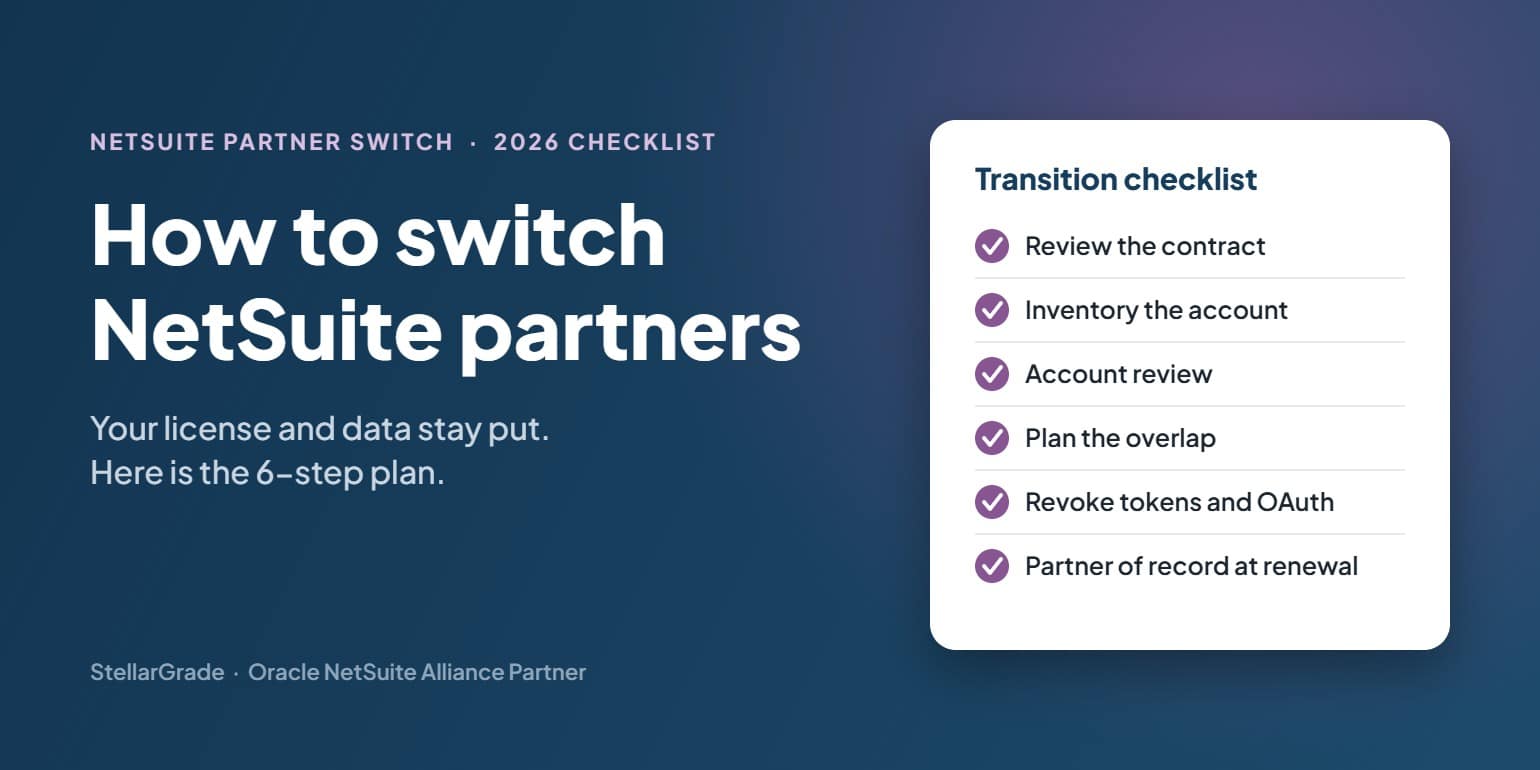
- Review the contract. Notice period, transition assistance, ownership of custom scripts, and the documentation you are entitled to.
- Inventory the account. Scripts, workflows, integrations, installed SuiteApps, key saved searches, roles, integration records, and any custom AI tools connected through the NetSuite AI Connector. Don’t rely on an old audit.
- Run an account review with the new partner. They should see the account before they quote ongoing support, so open issues and risky customizations are on the table early.
- Plan an overlap. Choose the new partner first, then give notice, so support never lapses. As a rule of thumb, plan for one to three months where the outgoing partner supports the new one.
- Do the security offboarding. Details in the next section.
- Revisit partner of record at renewal, if you want one firm for licensing and services. This step is optional.
Timing matters too. NetSuite has two major releases each year, and accounts are upgraded in phases over a few months (Oracle, Release Delivery). Avoid a cutover during your upgrade window or during month-end close.
How do you remove your old partner’s access safely?
This is the step most often rushed. Inactivating a user or removing a role feels final, but tokens can outlive it. Oracle’s documentation says that when roles are removed from an entity, its access tokens are still active in the system, even though they can’t be used until a role is added back (Oracle, TBA tokens). Revoke them explicitly.
- Partner users: inactivate the outgoing partner’s employee or partner records and remove their roles.
- Token-based authentication: go to Setup > Users/Roles > User Management > Access Tokens and revoke every token tied to the outgoing partner. Revoked tokens stay on record for auditing.
- OAuth 2.0: go to Setup > Users/Roles > OAuth 2.0 Authorized Applications and revoke what you no longer need. Revoking an authorized application invalidates all of its tokens (Oracle, OAuth 2.0 Authorized Applications).
- Integration records: disable the ones you no longer use. For integrations that stay, rotate credentials and reissue them under a company-owned user.
- AI connections: the NetSuite AI Connector Service does not support the Administrator role, so connections run on custom roles with the MCP Server Connection permission. Oracle recommends regularly reviewing “users, permissions, installed tools, namespaces, and authorized AI agents” (Oracle, AI Connector FAQ). As of the October 2026 release notes, AI settings live under Setup > Agent management (Oracle, Oct 19, 2026 release notes). Last verified: October 22, 2026. Our AI Connector guide covers the role setup.
- System notes: review changes made after notice was given. The AI Used column shows changes made by custom tools through the AI Connector (Oracle).
What documentation should you ask your current partner for?
Ask for it in writing, early in the overlap. A practical list: design documents for each customization and why it exists, integration specs with the owner of each credential, open tickets and known issues, runbooks for recurring tasks, and the list of SuiteApps or middleware subscriptions bought through the partner. If some of it doesn’t exist, that’s fine. A new partner can rebuild the picture from the account itself, it just takes longer.
Write down your own recurring issues too, even the small ones. Your team knows which saved search times out on the first of the month. Nobody else does.
How do you evaluate a new NetSuite partner?
Teams usually start looking when support feels slow or when releases arrive without anyone preparing them. Turn whatever prompted your search into interview questions.
Industry fit. Ask for examples in your industry and with your modules, such as WMS, multi-subsidiary or SuiteTax. Release management. Ask who reads the release notes for you and how they test in a Release Preview or sandbox account. AI readiness. Ask how they would set up roles and governance for Ask Oracle or for an external AI assistant connected through the AI Connector. Continuity. Ask who will actually work in your account a year from now. Engagement model. In a takeover, flexible time-and-materials often works better at first, because priorities shift once the new team sees the account.
What does a partner transition look like with StellarGrade?
StellarGrade is an Oracle NetSuite Alliance Partner since 2023, with a senior bilingual team serving companies across North America. Picking up an account another team built is work we know well.
Our consultants are former CPAs, engineers and NetSuite users, so we read an account the way the people who run it every day do. You get a named consultant who knows your business instead of a ticket queue. The team is on-shore, with no offshore outsourcing, and we travel to work on site when that helps.
We know inventory-heavy businesses best: wholesale distribution, retail, apparel, food and beverage, manufacturing, and accounts running NetSuite WMS. Our R&D team builds native NetSuite products for those operations, including Warehouse360, a 3D view of your NetSuite WMS warehouse, and Load360 for container and truck load planning.
We also set up least-privilege roles and governance before anyone starts connecting an AI assistant to NetSuite, which fits naturally into the security offboarding above.
Support can start hourly, move to a bank of hours, or become managed services with a dedicated point of contact. A good first step is a StellarReview account check: workflows, roles, scripts and reports, ending with a prioritized fix plan that doubles as the inventory in step 2. If you’d rather talk it through first, book a 20-minute call and we’ll walk through your account and contract questions together.
FAQ
Do I need to change my partner of record to switch support partners?
No. Partner of record relates to how your licenses were sold and renewed, while your support partner is whoever works in your account. You can change support partners and decide on partner of record separately, after confirming the mechanics with your Oracle account representative.
Will switching partners affect my license or my data?
No. Your data, customizations and integrations stay in your NetSuite account, and your license subscription doesn’t change when you change support partners. Check your services contract for code ownership and documentation rights.
What happens to SuiteApps my old partner installed?
They keep running in your account. Check whether any SuiteApp or middleware subscription was bought through the outgoing partner, because that subscription may need to move to your company or be renewed directly.
How long does a NetSuite partner transition take?
It depends on how many scripts, integrations and subsidiaries you run. As a rule of thumb, plan a one to three month overlap with the outgoing partner, and the cutover should avoid month-end close and your NetSuite upgrade window.
How do I remove my old partner’s access safely?
Inactivate their users, then revoke their access tokens and OAuth 2.0 authorized applications explicitly, because removing a role does not revoke tokens. Disable unused integration records, rotate credentials for the ones you keep, and review roles used for AI connections.
Can StellarGrade take over support from my current NetSuite partner?
Yes. We review your account, plan the handover and, where possible, an overlap with your current partner, then work through the security offboarding with your admin.