Last updated: October 26, 2026
NetSuite’s AI Connector Service lets AI assistants such as Claude answer questions from your live NetSuite data, within the permissions of a custom NetSuite role. It is not a paid NetSuite feature. The real work is setting up roles, starting read-only, and teaching your team to check the source.
If you want to know which customers are more than 60 days past due, NetSuite already has the answer. Getting to it usually means finding the right saved search, adjusting the filters, exporting to Excel and cleaning it up. Or asking the one person on your team who knows how.
Oracle’s NetSuite AI Connector Service changes that. It lets an AI assistant such as Claude ask NetSuite the question for you, within the permissions you set, and bring back an answer drawn from live data.
It comes up in a lot of our conversations with NetSuite customers lately. Here’s a plain-English rundown of what it does, what it costs, what changed this year, and what we’d set up before a whole team starts using it.
What the AI Connector actually is
The AI Connector Service is NetSuite’s built-in way to connect outside AI assistants to your account. Oracle introduced it with NetSuite 2025.2. It uses the Model Context Protocol (MCP), an open standard that lets assistants work with business systems through a defined set of tools instead of custom integrations.
In practice, the assistant gets a toolbox: run a report, run a saved search, look up a record, query data and, if you allow it, create or update records. It picks the right tool for your question, NetSuite runs it under a specific role, and the answer comes back to the chat with links to the source records.
Two details matter more than anything else:
- The assistant only sees what its NetSuite role can see. If the role can’t open a subsidiary or a record type, neither can the AI.
- The Administrator role can’t connect. Oracle blocks it on purpose, so access goes through custom roles. That’s exactly how it should be.
What it looks like day to day
The best use cases aren’t futuristic. They’re the questions your team already asks, minus the clicking.
- Finance: “Run A/R aging by subsidiary and summarize it for the CFO.” “Compare gross margin by class this month versus last month and explain the biggest change.”
- Operations: “Which purchase orders were due last week and still haven’t been received?” “Which items haven’t moved in 90 days, and where are they sitting?”
- Sales: “Show our top 20 customers this quarter by revenue, with the change versus last year.”
- Data entry, with a person in the loop: “Draft a sales order from this email so I can review it before saving.”
The value isn’t that AI knows more than your team. It’s that a controller or a warehouse manager gets an answer in a minute, without waiting on whoever builds the saved searches.
What it costs
Less than most people expect. The AI Connector Service is not a paid NetSuite feature, and the MCP Standard Tools SuiteApp that provides the standard tools is free on the SuiteApp Marketplace.
What you do need:
- An AI assistant plan that supports custom connectors.
- Time to design roles, test and train your people, whether that’s your own admin or a partner.
One thing to plan for: AI requests share your account’s concurrency limit with your integrations and scripts. If you already run heavy integrations, check that before rolling it out to 40 users.
What changed in 2026
Oracle has moved quickly. At SuiteConnect London in March 2026, NetSuite announced three additions:
- AI Connector Service Companion: NetSuite-specific instructions (“skills”) that help the assistant understand NetSuite data and finance workflows, plus a prompt library with more than 100 templates.
- MCP Apps: forms, filters and selectors that appear inside the assistant, so a user can review a sales order on a NetSuite-style screen without leaving Claude.
- A connector for NetSuite Analytics Warehouse: the same approach, extended to historical and third-party data, not just transactions.
The connector works with Claude, ChatGPT, Gemini and other assistants that support MCP. We work mostly with Claude.
Five things to set up before your team connects
The technology is the easy part. These decisions make the difference between a useful assistant and a risky one.
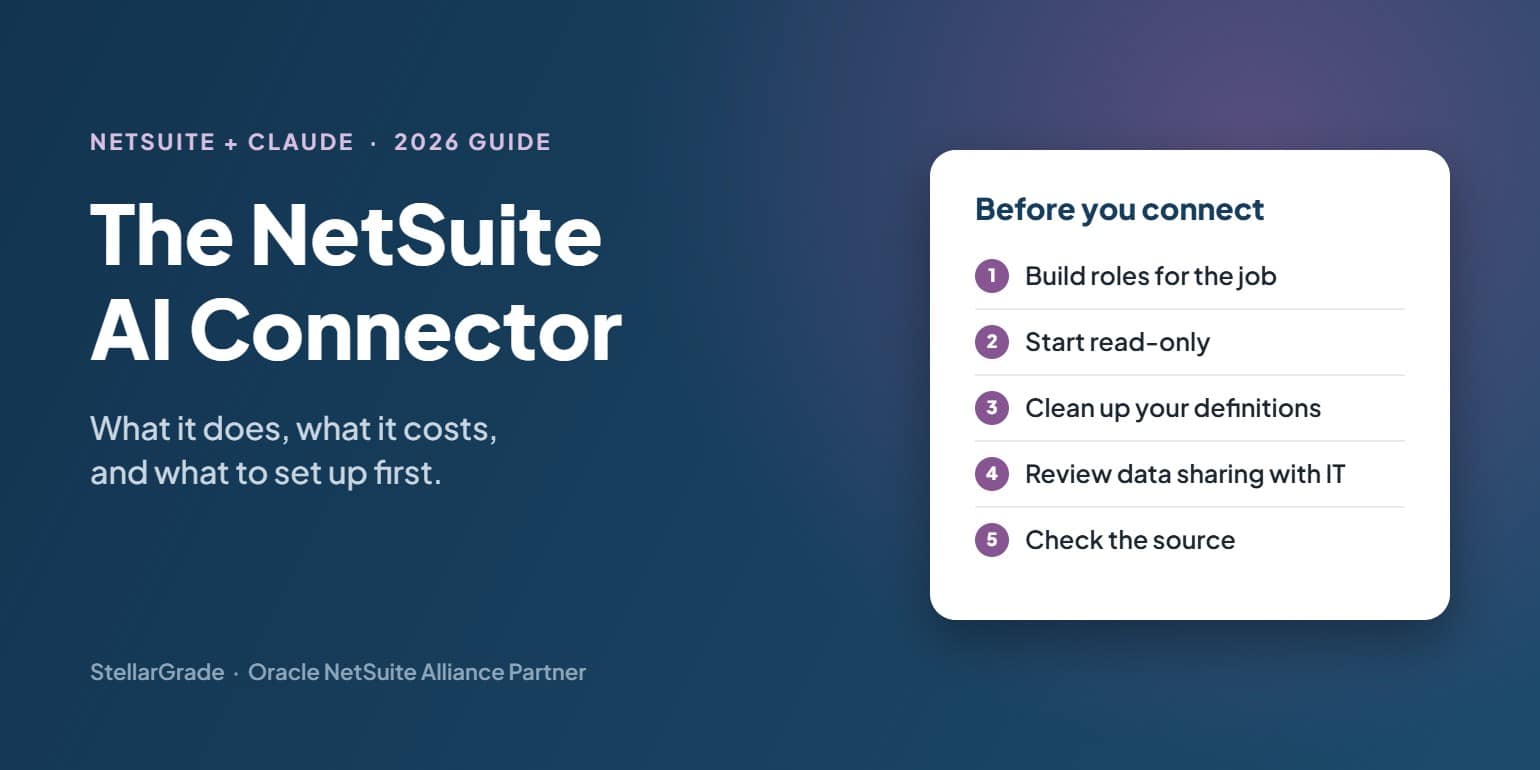
- Build roles for the job, not for convenience. Create a custom role per team (finance, operations, sales) with only what that team needs. Resist cloning a broad role “just to get it working.”
- Start read-only. Let people ask questions for a few weeks before anyone can create or edit records. When you add write access, add it one task at a time, with a person approving every change.
- Clean up the definitions the AI relies on. The assistant leans on your reports and saved searches. If “active customer” means three things in your account, you’ll get three answers. As Robert Kramer of Moor Insights put it, “If definitions don’t line up across systems, AI just scales the confusion faster.”
- Review data sharing with IT. NetSuite asks each user to acknowledge data sharing before connecting, and what goes to the assistant falls under your AI plan’s privacy terms. Read those terms with your IT or security lead before rollout, not after.
- Make “check the source” a habit. Oracle itself recommends validating AI results against source data. Answers link back to records, so train people to click through on anything that matters, especially numbers headed to leadership.
Where it won’t help (yet)
AI won’t fix a process nobody has defined. If receiving is done three different ways across two warehouses, the assistant will faithfully report three different realities. The companies getting the most from the connector usually start with a reasonably clean NetSuite setup, and they use the rollout as a chance to tighten the parts that aren’t.
Where a partner fits
You can turn on the AI Connector yourself, and plenty of NetSuite admins will. A partner helps with the work around it: designing the roles, testing with your team’s real questions, building custom tools when the standard ones fall short, and training people on what to ask and what to verify.
StellarGrade is an Oracle NetSuite Alliance Partner working with companies across North America.
More on how we set it up: Connect Claude to NetSuite
If you’d like to see what Claude could answer in your NetSuite account, we’ll look at your setup, the questions your team asks most, and what a safe first step would look like.