Last updated: November 11, 2026
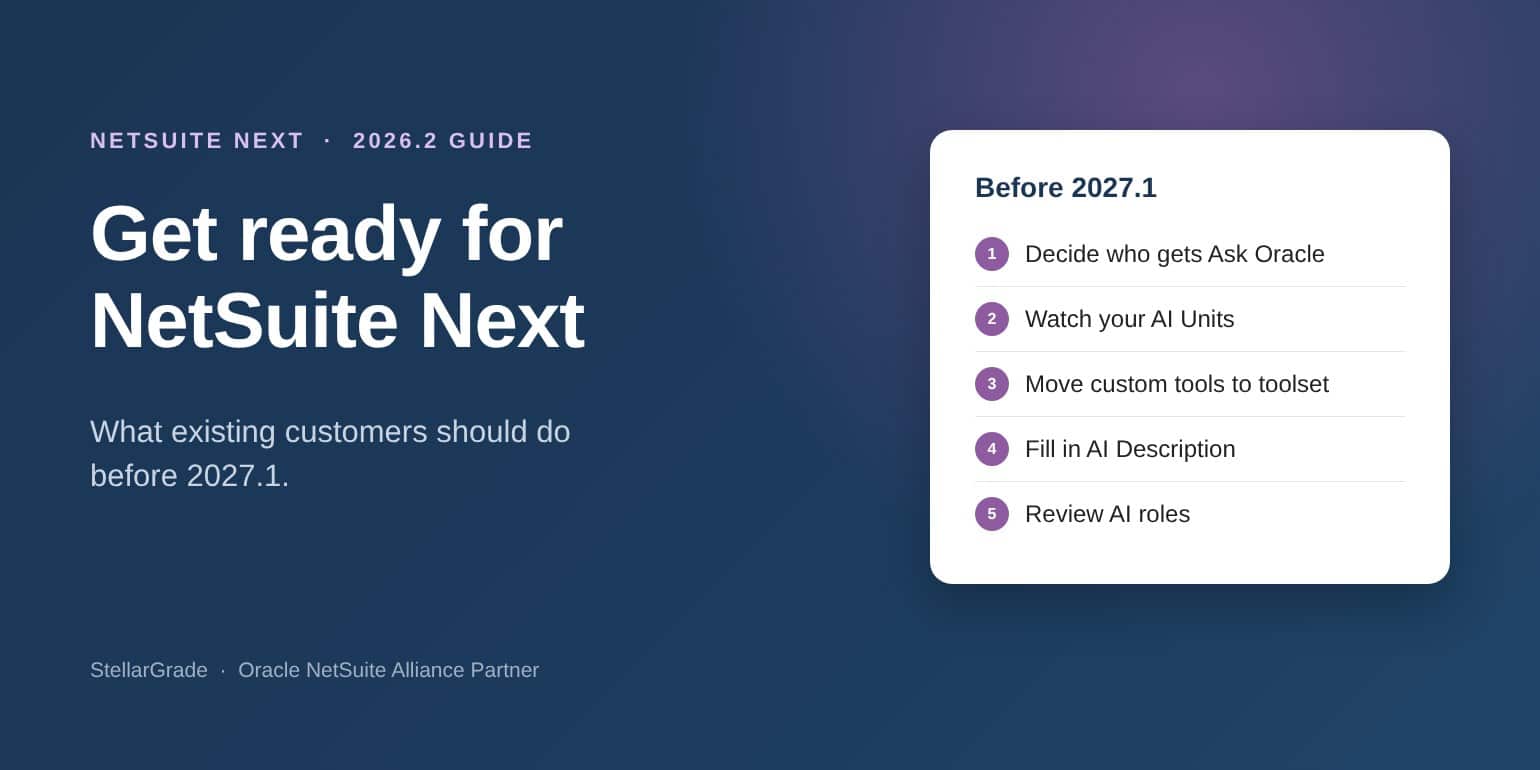
NetSuite Next is the AI-first generation of NetSuite, and Oracle began rolling it out to North American customers with release 2026.2, in phases. If you are already live, the work before 2027.1 is practical: decide who gets Ask Oracle, watch your AI Units on the Billing Information page, and move any custom AI tools to the toolset object before the old tool object stops running in 2027.1.
This guide covers what changed at SuiteWorld 2026, what is metered and what is not, and a short readiness checklist you can run with your admin this quarter.
What is NetSuite Next, and what did SuiteWorld 2026 add?
NetSuite Next is the next generation of NetSuite with AI built into its core. Oracle announced the North America rollout as part of release 2026.2 (NetSuite newsroom). It is being made available to customers in phases, and NetSuite notifies you in the application when your account is eligible.
At SuiteWorld on October 26, 2026, Oracle added several pieces on top of that (NetSuite press release):
- SuiteSkills: more than 45 prebuilt skills that give AI NetSuite business know-how. Oracle says they are available to all NetSuite customers, can be used with connected AI models, and are also available in Ask Oracle within NetSuite Next (SuiteSkills release).
- AI Workspaces, AI Portlets and select industry SuiteAgents: announced as available now.
- Other “Autonomous Suite” capabilities: planned for a future release. Oracle notes that the timing of announced features may change.
The takeaway for a live customer: some of this is usable today, some is a roadmap. Plan around what your account can actually turn on.
Is NetSuite Next turned on automatically?
Not all at once. The rollout is phased, and even once your account is eligible, Ask Oracle is not open to everyone. Oracle’s AI Units FAQ is clear: “By default, roles do not have access to Ask Oracle” (Oracle Help: AI Units FAQ). An administrator grants it role by role.
That default is useful. It gives you time to decide which teams try it first, and to make sure the roles they use can see the data they will ask about, and nothing more.
How do AI Units work, and where do you monitor them?
AI Units are how Oracle meters native generative AI in NetSuite. According to Oracle, each NetSuite General Access user adds 1,000 AI Units per month of term to a shared pool, provisioned upfront. Units do not carry over past the term (AI Units FAQ, NetSuite AI Units).
You can watch usage under Setup > Company > View Billing Information.
Oracle publishes rough estimates for Ask Oracle, and labels them as estimates: about 10 AI Units for a simple question, 10 to 50 for an analysis question, and 50 to 200 for a research question (Oracle Help).
Which features use AI Units, and which do not?
This is the question finance teams ask first. Here is how Oracle’s documentation answers it today.
| Feature | Uses AI Units? | Oracle source |
|---|---|---|
| Ask Oracle | Yes | AI Units FAQ |
| Existing native generative AI features in NetSuite | Yes | AI Units FAQ |
| SuiteApps that use NetSuite generative AI | Yes | AI Units FAQ |
| NetSuite AI Connector Service (bring your own AI, such as Claude) | No. Requests run with your AI provider, outside NetSuite | AI Units FAQ; NetSuite AI Units page |
| Add-on modules such as Bill Capture, EPM and NetSuite Analytics Warehouse | No | AI Units FAQ |
In short: questions asked in Ask Oracle draw from your AI Unit pool, while questions asked through Claude or another AI connected with the AI Connector Service do not.
What happens to custom AI tools in 2027.1?
This is the hard deadline in this release cycle. If your team or a partner built custom tools for the AI Connector using the older tool SDF object, Oracle’s 2026.2 September release notes say:
- Custom tools that use the
toolobject “can no longer be deployed,” including updates to existing tools. - “In NetSuite 2027.1, custom tools that use the tool SDF custom object will no longer execute.”
- The fix is to move them to the
toolsetSDF object.
Source: Oracle Help: September Minor Release. The same release lets administrators activate or deactivate custom toolsets from the Custom Tools page, and inactive toolsets are not available to the AI Connector.
If you are not sure whether you have custom tools at all, that is the first thing to find out. In our experience, these tools are often built quickly during a pilot and nobody owns them six months later.
How will you know what AI changed in your account?
System Notes now include an AI Used column. Today it tracks changes made by custom tools invoked through the AI Connector Service, and in NetSuite Next it may show “Ask Oracle” or “AI Connector Service” (Oracle Help: August Monthly Release).
Add it to the saved searches your controller already uses to review changes at month-end. It answers the auditor’s question before it is asked.
What should you clean up before giving AI more access?
AI answers are only as good as the role they run under and the records they read. Two areas matter most.
Roles. The AI Connector does not support the Administrator role, so you need a custom role with the MCP Server Connection and OAuth 2.0 Access Tokens permissions (AI Connector Service FAQ). Apply the same thinking to Ask Oracle: give each role what that person needs, and test it with a real question before rollout.
Data. Custom fields with vague labels, items missing weights or locations, and subsidiaries set up differently in sandbox and production all lead to answers that sound confident and are incomplete. With 2026.2, fill in the AI Description field on your custom records and custom fields. It tells Ask Oracle and connected AI what each one holds, so a field called “Status 2” stops being a guess.
What does a readiness checklist look like before 2027.1?
- Confirm whether your account has been notified as eligible for NetSuite Next.
- Decide which roles get Ask Oracle first, and grant access deliberately.
- Note your AI Unit pool on the Billing Information page and check it monthly.
- List every custom AI tool, who built it, and whether it uses
toolortoolset. - Migrate anything on
tooland test it in a sandbox that matches production. - Add the AI Used column to your change-review saved searches.
- Fill in AI Description on the custom records and fields your teams query most.
- Review the custom roles used by Claude or any other connected AI assistant.
- Pick two or three SuiteSkills to test against real questions from your team.
If you plan to use Claude alongside Ask Oracle, our page on how to connect Claude to NetSuite covers the setup, and our article on the NetSuite AI Connector explains what to configure first.
Frequently asked questions
How do I see what AI changed in NetSuite?
Use the AI Used column in System Notes. It shows changes made by custom tools through the AI Connector Service today, and in NetSuite Next it may also show Ask Oracle.
Is NetSuite Next turned on automatically?
It is rolling out in phases, and NetSuite notifies you in the application when your account is eligible. Even then, roles do not have access to Ask Oracle by default; an administrator grants it.
What uses AI Units?
Ask Oracle, existing native generative AI features in NetSuite, and SuiteApps that use NetSuite generative AI. Oracle estimates about 10 units for a simple Ask Oracle question and up to 200 for a research question.
Does connecting Claude use AI Units?
No. Oracle states that the NetSuite AI Connector does not consume AI Units, because the requests run with your AI provider outside NetSuite. That applies to Claude and any other AI connected through the AI Connector Service.
What happens to my custom MCP tools in 2027.1?
Tools built on the tool SDF object can no longer be deployed, and in 2027.1 they will no longer execute. Move them to the toolset object and test them before the release reaches your account.
Want a second pair of eyes?
StellarGrade, an Oracle NetSuite Alliance Partner since 2023, with a senior bilingual team serving companies across North America, helps live NetSuite customers get ready for releases like this one. If you would like a quick read on your roles, custom tools and AI Unit usage, book a 20-minute call. Happy to compare notes.
Oracle facts last verified: November 5, 2026.