Last updated: November 16, 2026
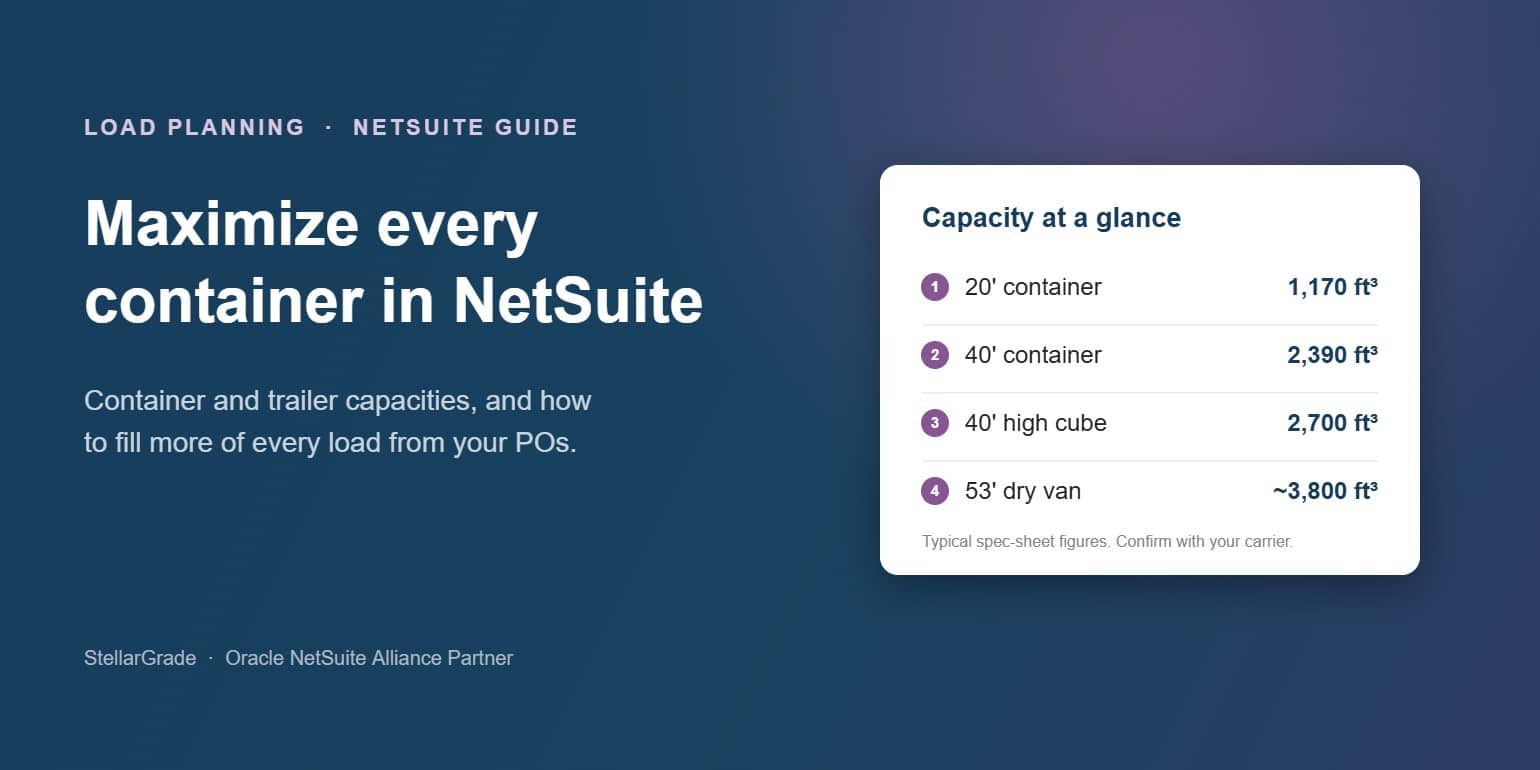
A 20′ container holds about 33 m³ (about 1,170 ft³), a 40′ about 68 m³ (about 2,390 ft³) and a 40′ high cube about 76 m³ (about 2,700 ft³). A 53′ dry van is commonly quoted at about 3,800 ft³ and 26 standard pallets loaded straight. You will always load less than the spec sheet, and the limit that stops you first, volume, weight or pallet positions, depends on your product. NetSuite tracks inbound shipments and landed cost well, but it does not show you how full a container is while you build it.
That last gap is why so many buyers still plan containers in a spreadsheet next to NetSuite. Here is what the numbers look like, how to calculate fill, and what NetSuite needs before it can help.
What are the capacities of 20′, 40′ and 40′ HC containers and a 53′ trailer?
These are typical spec-sheet figures. They vary by container and by carrier, and inland road limits can be lower than a container’s payload, so confirm with your carrier or forwarder before you plan to the limit.
| Equipment | Internal volume | Max payload (approx.) | Pallets (48″ × 40″) |
|---|---|---|---|
| 20′ dry container | 33.2 m³ (about 1,170 ft³) | 28,300 kg (about 62,390 lb) | Depends on orientation; ask your forwarder |
| 40′ dry container | 67.7 m³ (about 2,390 ft³) | 28,870 kg (about 63,650 lb) | Depends on orientation; ask your forwarder |
| 40′ high cube (HC) | 76.4 m³ (about 2,700 ft³) | 28,690 kg (about 63,250 lb) | Same floor as a 40′, taller stacks |
| 53′ dry van | About 3,800 ft³ usable (commonly quoted) | About 42,000 to 45,000 lb (80,000 lb federal gross vehicle limit) | 26 loaded straight, 30 turned (4-way pallets) |
Notice that a 40′ HC adds about 8.7 m³ over a standard 40′ for almost the same payload. That extra height only pays off if your goods are light enough to use it.
Volume, weight or pallets: which limit binds first?
Divide the payload by the volume and you get the average density a container can carry before it “weighs out.” For a 40′ dry box, 28,870 kg over 67.7 m³ is about 426 kg per m³ (about 27 lb per ft³). For a 20′, it is about 852 kg per m³, roughly double, because the payload is similar in half the space.
In practice that gives three patterns:
- Light, bulky goods such as furniture, apparel or packaging fill the space long before they reach the weight limit. They “cube out,” and a 40′ HC is usually the better buy.
- Dense goods such as tile, beverages, paper or metal parts hit the weight limit with empty space above them. A 20′ is often the smarter choice, and the HC’s extra height is wasted.
- Palletized goods often run out of pallet positions first, because pallet height and overhang leave space nobody can use.
Most product catalogs have all three. That is why a single “we ship 40s” rule leaves money on the table.
Why is usable volume lower than the spec sheet?
The internal volume is the empty box. Your cartons do not tile it perfectly. Pallets leave gaps between the top of the load and the roof. Fragile or “this side up” cartons cannot be stacked to the ceiling. Mixed SKUs from several vendors rarely fit together like a single SKU would, and the load needs some room for bracing at the doors.
A rule of thumb many importers use is to plan on about 30 m³ of cartons in a 20′ and about 70 m³ in a 40′ HC. Treat it as a starting point, not a promise, and replace it with your own history as soon as you have a few months of data.
How do you calculate container utilization?
Track it on all three limits, because the highest number is the one that stops you:
- Cube utilization = total cargo volume ÷ container volume × 100
- Weight utilization = total cargo weight ÷ max payload × 100
- Pallet utilization = pallets loaded ÷ pallet positions × 100
An illustrative example: 52 m³ of cartons in a 40′ HC is 52 ÷ 76.4, or 68% cube. If those cartons weigh 9,000 kg, weight utilization is about 31%. That container is limited by space, not weight, and the next question is whether a few more PO lines could ride along before it is booked.
Fill rate matters because ocean freight is usually priced per container. Every point of empty space raises the freight cost per unit you sell.
What data does NetSuite need for load planning?
Good planning starts with item data, and this is where most accounts have gaps:
- Weight on every item. NetSuite’s landed cost allocation by weight uses the item’s weight, and Oracle’s documentation notes that NetSuite shows an error when an item has no weight entered.
- Carton dimensions and units per carton, so volume can be calculated from a PO quantity. Many accounts keep these in custom item fields.
- Units or cartons per pallet, if you ship on pallets.
- Clean PO data: vendor, origin and expected ready dates, so you know which lines can travel together.
If you only fix one thing this quarter, fill in item weights. It improves landed cost accuracy whether or not you ever plan a container in NetSuite.
What does NetSuite do natively, and where does the spreadsheet come in?
NetSuite covers the record-keeping side well. With Inbound Shipment Management, you can assign items from several purchase orders to one shipment, track expected delivery dates, and receive and bill from that record. Landed costs can be spread across the whole shipment or applied to specific lines.
On a transaction, landed cost can be allocated by weight, quantity or value. By weight, each line gets its weight ÷ total eligible weight × total landed cost.
What NetSuite does not do on its own is show a buyer how full a 40′ HC is while they choose PO lines. So the usual workflow is: export open PO lines, build containers in a spreadsheet, then re-key the result into an inbound shipment. Two copies of the truth, and the spreadsheet is the one people trust.
How does Load360 plan containers from POs inside NetSuite?
Load360 is StellarGrade’s native NetSuite app for container and truck load planning. Inbound, buyers drag PO lines into containers and see the fill rate by volume, weight and pallets, in cubic feet and pounds or in metric. Container and truck sizes are configurable, so you are not limited to 20′, 40′ and 40′ HC: add any equipment type you ship with. Booking the container creates the native NetSuite Inbound Shipment, and landed cost stays in standard NetSuite.
Outbound, Load360 groups orders into trucks and trailers, such as a 53′ trailer or a 26′ truck, and allocates the freight bill to each order, so your margins include shipping.
It is just as important to know what it does not do. Load360 does not suggest what to buy, does not produce 3D load plans, does not connect to carriers or track vessels, and does not handle customs. Its fill rates are a planning guide, and your forwarder still builds the physical load.
If you are reviewing other parts of your NetSuite setup at the same time, our guide on switching NetSuite partners without changing your license or losing data covers what stays in place when the team working in your account changes.
Frequently asked questions
How many pallets fit in a 40′ container?
It depends on pallet size, whether pallets are turned, and whether they can be stacked. A 40′ has about twice the floor of a 20′, so it takes roughly twice the pallets. Ask your forwarder for a pallet plan with your actual pallet dimensions before you commit.
Is a 40′ HC worth it over a 40′ standard?
For light, bulky goods, usually yes: typical spec sheets show about 8.7 m³ more volume for nearly the same payload. For dense goods that weigh out first, the extra height goes unused. Compare the rate difference from your forwarder against your own cube utilization.
What is the max weight in a 20′ container?
Typical spec sheets list a maximum payload of about 28,300 kg (about 62,390 lb). Road weight limits where the container travels can be lower, so confirm with your carrier.
Can NetSuite plan container loads natively?
NetSuite tracks inbound shipments and allocates landed cost by weight, quantity or value, but it does not calculate a container’s fill rate while you build it. Teams use a spreadsheet or a native add-on such as Load360 for that step.
What data does NetSuite need for load planning?
At minimum, item weights, carton dimensions and units per carton, plus pallet quantities if you ship on pallets. Expected ready dates on POs help you decide which lines can share a container.
Want to see it on a working account?
If your buyers are still building containers in a spreadsheet, we are glad to walk you through Load360 on a working NetSuite account. Book a 30-minute call.
StellarGrade, an Oracle NetSuite Alliance Partner since 2023, with a senior bilingual team serving companies across North America.