
LOAD360
Container & truck load planning in NetSuite
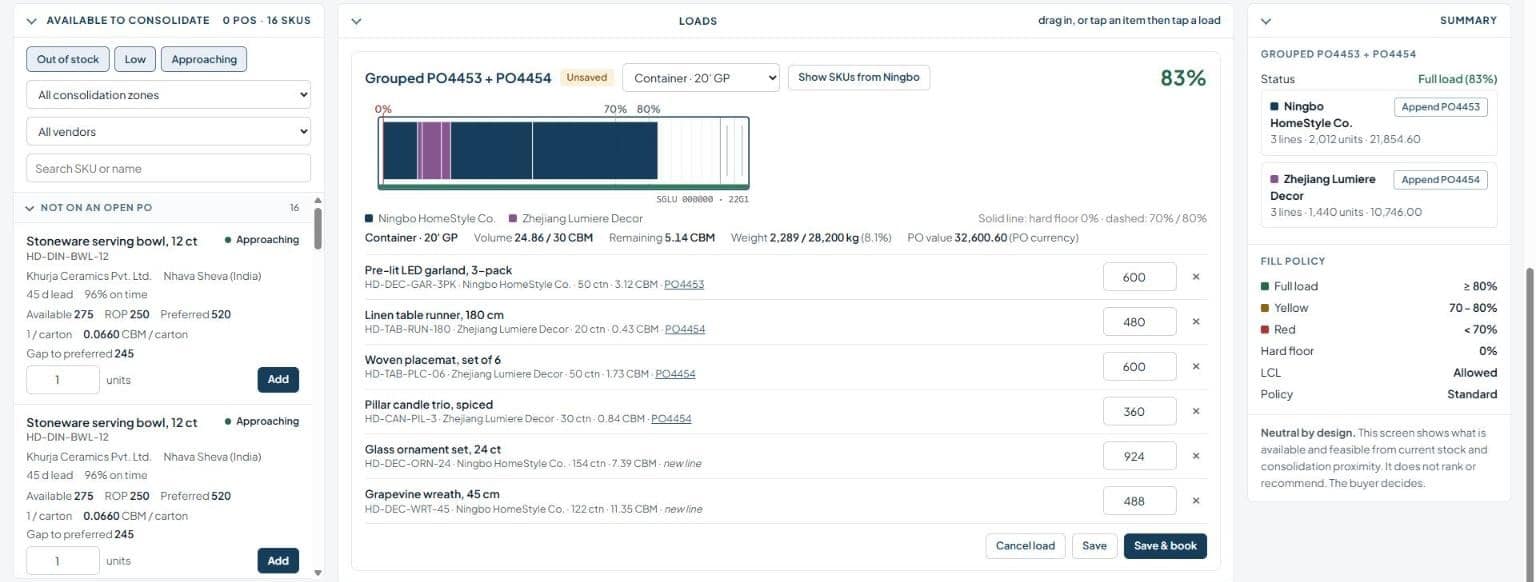
Build ocean containers from your open purchase orders and watch the fill rate by volume, weight and pallets. Group customer orders into trucks and put the freight bill on every order, so your margins include shipping. All inside NetSuite.
Stop shipping air.
Know what every load costs.
Container planning usually lives in a spreadsheet next to NetSuite. Load360 brings it inside, from the purchase order to the freight cost on each sales order.
One workbench for inbound and outbound
Load360 runs inside NetSuite. Buyers plan containers from open purchase orders, and the shipping team plans trucks from orders that are ready to go. Everything reads from and writes to standard NetSuite records. Screens below use sample data.
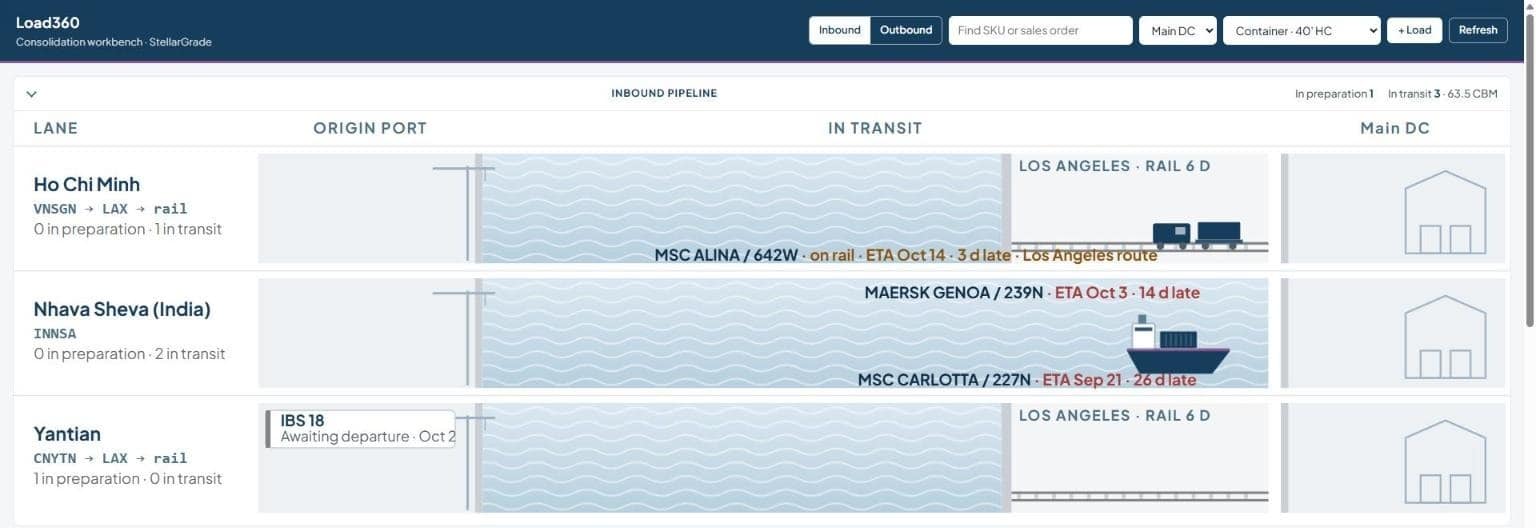
See every container from origin port to your dock
Each lane shows what is waiting at the origin port, on the water and on rail, with ETAs and late flags in red. When a container is booked, Load360 creates the NetSuite inbound shipment for you.
Fill the container before you book it
Load360 suggests open purchase orders from the same origin that ship cheaper together. Add the items you are running low on and watch the fill by volume and weight, so you stop paying to ship air.
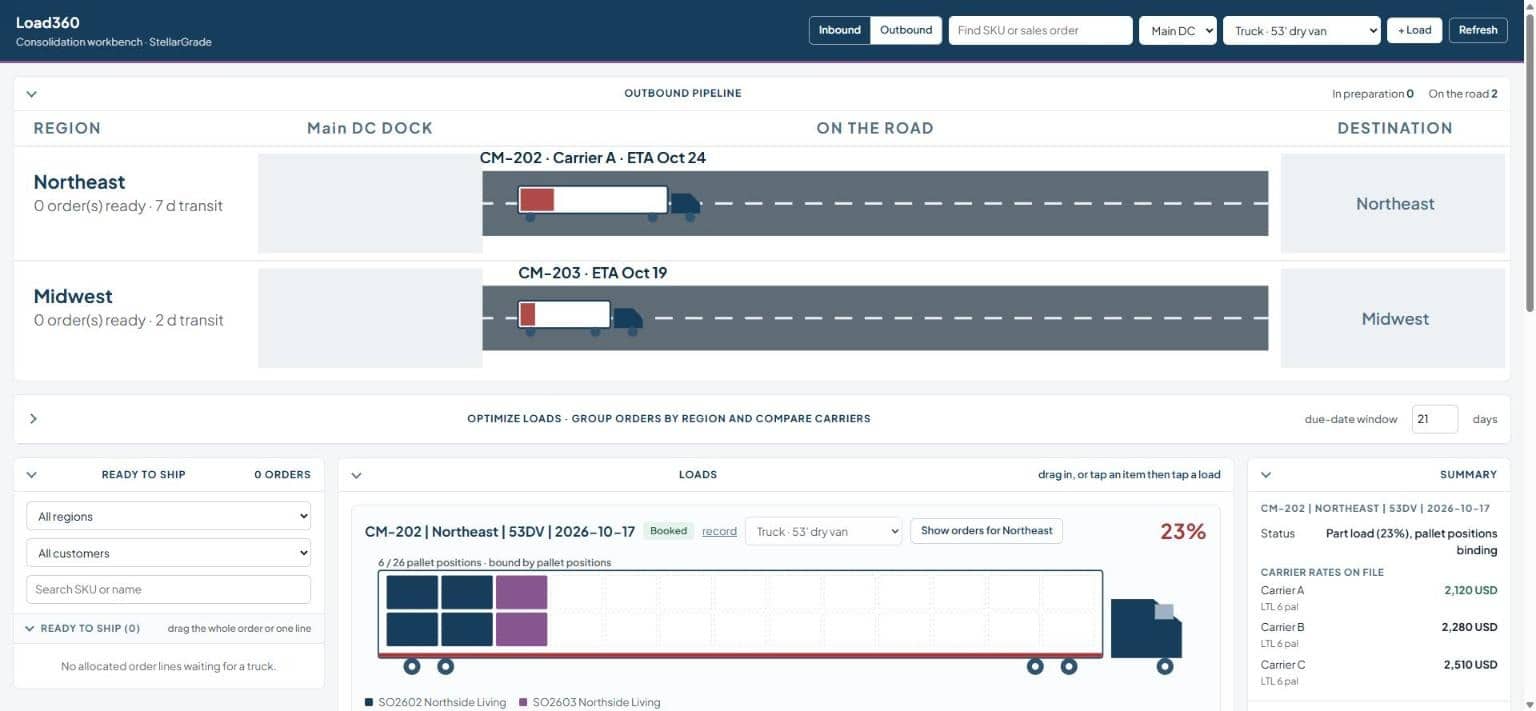
Track every truck from your dock to the customer
The outbound pipeline shows each truck by region, with its carrier and ETA. Your team sees what is loading at the dock and what is already on the road.
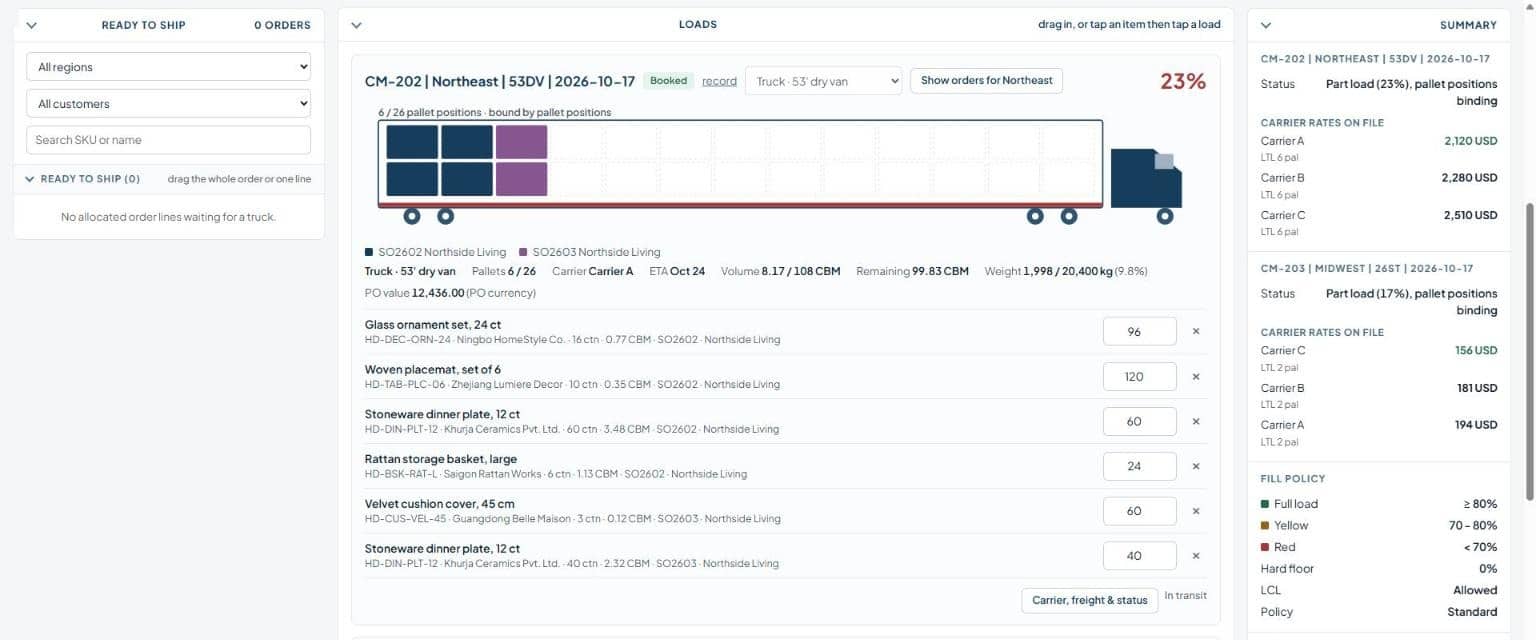
Build truck loads and compare carriers
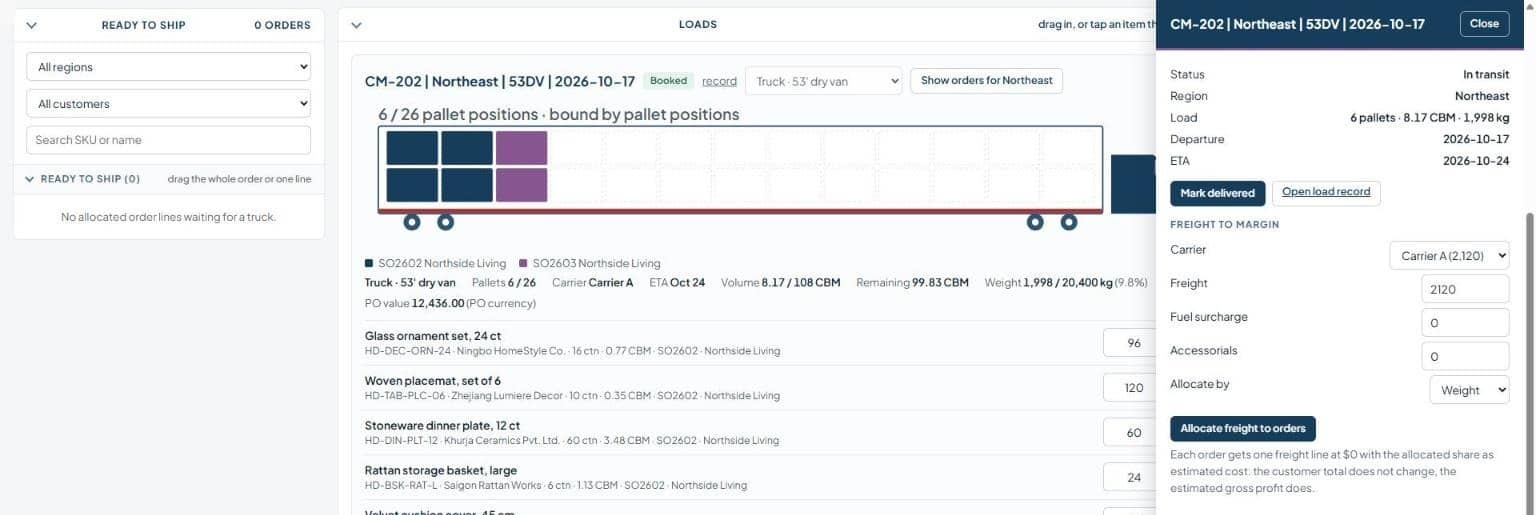
Group sales orders by region into a 53′ van or a 26′ straight truck. See every pallet position at a glance and compare the carrier rates you have on file before you book.
Put the freight bill on every order
Enter the carrier invoice, fuel surcharge and accessorials, then allocate by weight, volume, quantity, value or pallets. Each sales order gets its share as an estimated cost, so gross profit includes shipping and the customer total does not change.
No plugins. No switching tabs.
Load360 runs inside NetSuite as custom records and SuiteScript, on top of standard Inbound Shipment and Landed Cost.
See it live in
NetSuite.
Book a personalized walkthrough with one of our consultants.
No pressure, just inbound planning, truck consolidation and freight allocation on a working account.
Frequently asked questions
Does Load360 decide what or how much to order?
No. Quantities come from your NetSuite demand planning or your buyers. Load360 shows what fits in each container and records the buyer’s decision.
Does it connect to carriers or freight forwarders?
Not today. Load360 does not book freight, pull live rates or track vessels. The freight rates used for suggestions are the ones you enter.
Does it produce a physical load plan?
No. Fill rates and pallet positions are calculated from your item data (dimensions, weight, units per carton) and are indicative. Stacking and load order stay with your team.
Does it handle customs or Incoterms?
No. Those stay with your broker and your existing process.
Can it use cubic feet and pounds?
Yes. Units are configurable, so US teams can work in cubic feet and pounds, and others in cubic meters and kilograms.